In Depth
Thermal throttling: why a phone slows down while navigating
Updated
Sustained performance and peak performance are different specifications. What the phone is protecting, what makes it worse, and what you can actually do about it.
A phone that feels instant in ordinary use becomes sluggish after twenty minutes of navigation, a long video call or a session of a demanding game. Nothing is broken. The device is managing heat, and the way it does so is one of the largest differences between two handsets with the same processor.
Why a phone has to throttle
A processor converts electrical power into work and heat in roughly equal measure. A phone has no fan and very little mass to absorb heat, so the only path out is conduction through the frame and into the air. That path has a fixed capacity, and it is small — a few watts.
Peak performance figures are produced by running the processor far above that capacity for a short time, letting the chassis absorb the excess. That works for seconds. Over minutes, the temperature rises until the controller reduces clock speeds to bring generation back in line with dissipation. The level it settles at is the sustained performance, and it can be a fraction of the peak.
What the phone is protecting
- The battery, which degrades faster when hot and is the component least tolerant of it. This is also why fast charging slows down as the pack warms, described in the charging piece.
- The skin temperature, which is a safety limit rather than a component one. A phone in your hand may not exceed a certain surface temperature, and on a slim metal-framed device this limit binds before any internal one does.
- The silicon, which is the limit people assume is operating and is usually the last to be reached.
Why navigation is the worst case
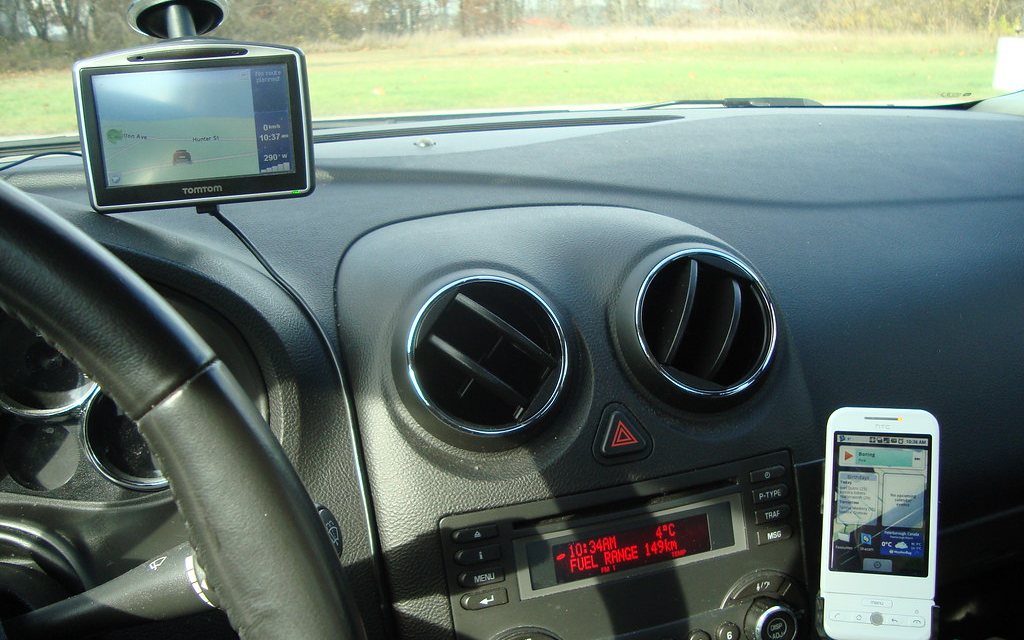
Turn-by-turn navigation is not obviously demanding, but it runs the screen at high brightness continuously, keeps the mobile radio active, keeps the satellite receiver running — see the positioning piece — and usually does all of it in a car, in sunlight, on a mount, often while charging. Every one of those adds heat, and the phone has nowhere to send it. Charging while navigating in direct sun is close to the worst thing you can ask a phone to do, and it is also the single most common one.
What distinguishes a phone that throttles well
Mass and conduction. A heavier phone with a large vapour chamber and a frame that couples well to the internals holds a higher sustained clock than a thin, light one with the same processor. This is why gaming-oriented handsets are thick and heavy, and why sustained performance is worth more than a benchmark score to anyone who uses a phone for long tasks.
Process efficiency matters too: a chip that does the same work for less power generates less heat, so it throttles later and from a higher floor. Between two phones with different processor generations, the newer one frequently wins the sustained comparison by a wider margin than the peak one.
What actually helps
- Take the case off for long sessions. A thick protective case is an insulator, and its effect on sustained performance is easy to feel.
- Keep it out of direct sun. A dashboard mount in a windscreen's sunlight defeats every other measure. A vent mount with air moving over the phone is dramatically better.
- Do not charge and navigate at once if you can avoid it, or charge at a low rate. Two heat sources in one small body compound.
- Lower the screen brightness where it is safe to — the display is a substantial share of the total, and the panel's own boost is temperature-limited anyway, as described in what a brightness figure means.
- Download the map region in advance, which removes the mobile radio's contribution and reduces the processing load at the same time.
What does not help
Closing background applications achieves very little: they were not the load. Cooling the phone rapidly — a freezer, a cold drink pressed against it — risks condensation inside the body, which is a far worse outcome than a slow phone and is exactly what the moisture indicator described in the water damage piece will record. And a phone that shuts down with a temperature warning is not faulty; it is doing the one thing left to it.
If a phone throttles harder than it used to, the most likely cause is a battery with increased internal resistance, which generates more heat for the same work. The way to check that is in the battery health piece, and it is often the point at which a replacement pack restores more performance than a new phone would add.